Ask more about your spreadsheet
"Great. And how old is that one?"
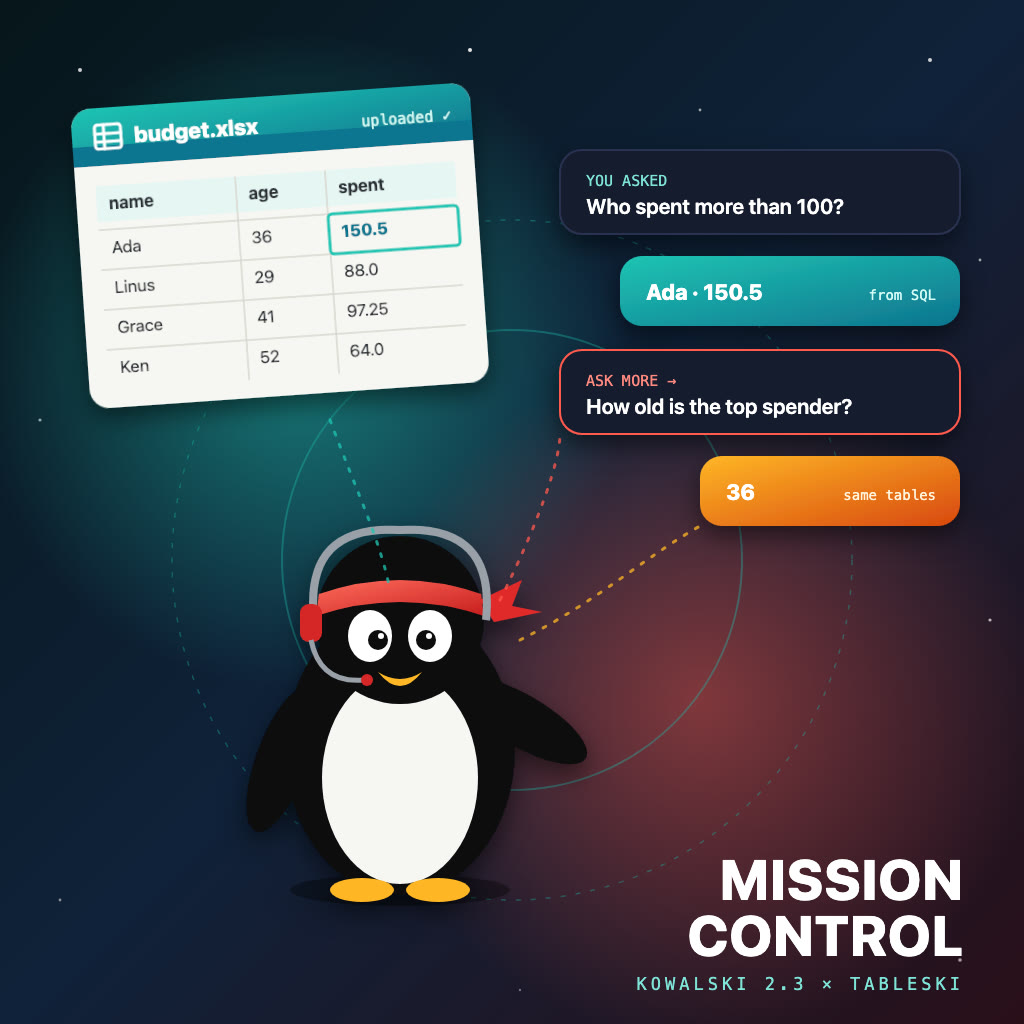
Last week Kowalski 2.2 shipped the Spreadsheet analyst: plain questions about your tableski tables in, a report workbook out. Two things got in the way once people used it. The workbook had to be uploaded in another tab, and the first answer was the end of the conversation. Kowalski 2.3, Mission Control, went out today and fixes both.
Upload from where you ask
The analyst's page now has a Workbooks card. Drop an .xlsx or .csv on it and kowalski uploads it to your tableski account, with the sign-in you did once in Setup. The card lists what is already there and removes files you no longer need. The next question sees the new tables straight away.
Then ask more
When the answers arrive, Ask more about this data starts a follow-up. It's a new run with its own title, on the same tables, and it knows what you already asked and what came back. On our sample workbook, "Which people spent more than 100 in total?" came back as Ada, 150.5. The follow-up, "How old is the top spender?", came back as 36, from a second query rather than from the model's memory of the first answer.
Every run is listed on kowalski's new Runs page under the question it answered, so last Tuesday's budget question is one search away (⌘K).
Messy workbooks welcome
Real spreadsheets are often forms: a title row, labels down the left, values to the right, no header row at all. tableski loads them anyway, as columns named col_1, col_2 and so on. The analyst now spots such a sheet, reads it as labelled rows, and finds values by their labels instead of guessing column names. The answer still comes back, followed by a short tip on laying the file out: each table on its own sheet, the column names in the first row, one record per row below them.
It's advice, not a requirement. The analyst keeps going either way.
Try it
Kowalski runs on your own Mac or Linux machine, with a free local model (Ollama) or your own key for a hosted one:
curl -fsSL https://raw.githubusercontent.com/yarenty/kowalski/main/install.sh | bash
kowalski
Connect your tableski account in Setup, open the Spreadsheet analyst, drop a workbook on it and ask. No tableski account yet? Sign in at tableski.io/app.
Everything else in 2.3, from the calmer Hordes home to the ⌘K picker, is on the kowalski blog: Kowalski 2.3: Mission Control.